Find anything in seconds
Buildings, units, tenants and agreements are linked to each other, so the right record is always one search away — not buried in someone's inbox.
Property management software
IYCSH Properties helps landlords and property managers run residential buildings — units, tenants, agreements, billing, maintenance and resident communication — without spreadsheets or scattered chat groups.
Why teams switch
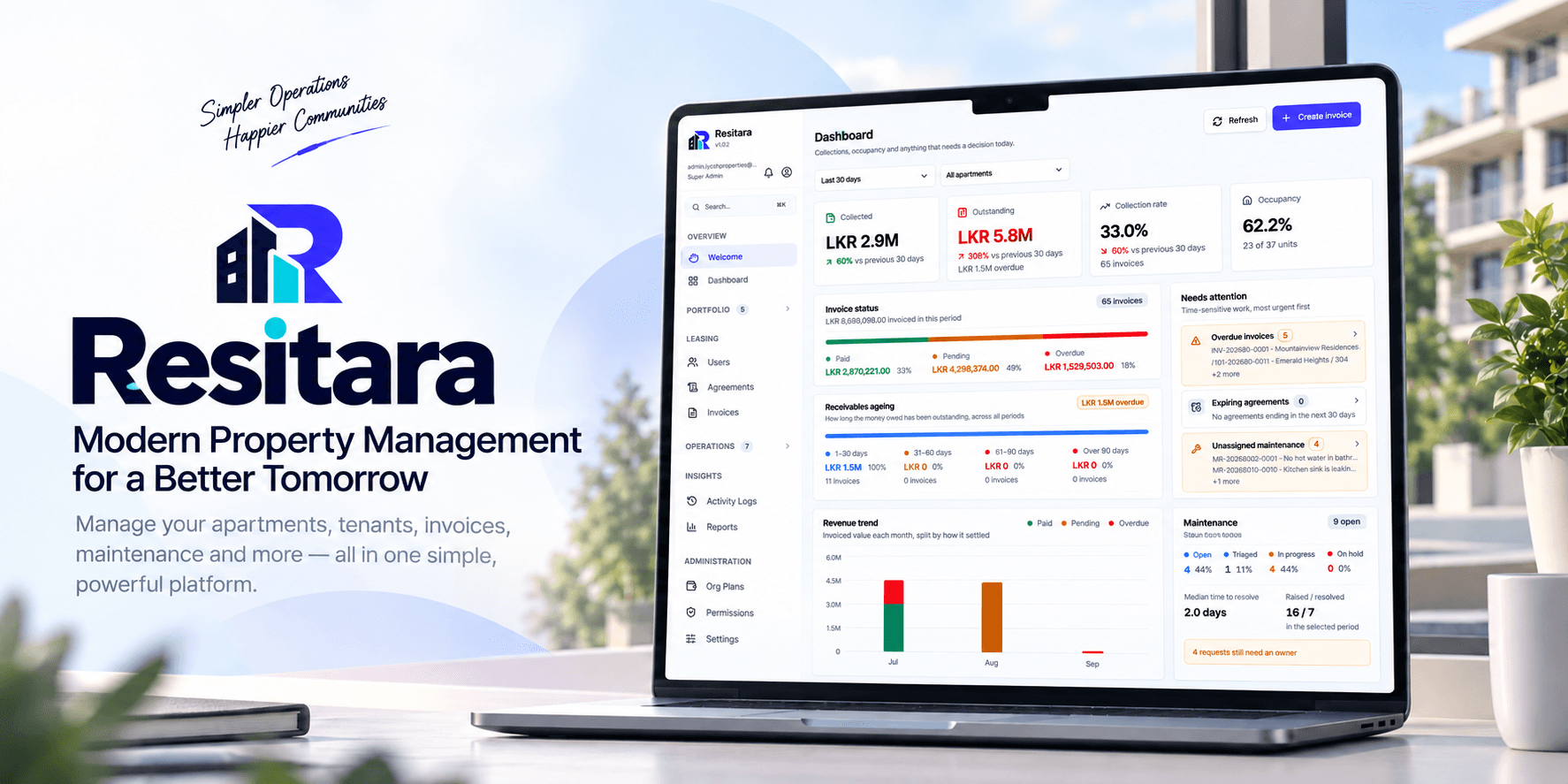
Most small portfolios run on a mix of spreadsheets, folders and messages. IYCSH Properties replaces that with one record of what you own, who lives there and what they owe.
Buildings, units, tenants and agreements are linked to each other, so the right record is always one search away — not buried in someone's inbox.
Rent, service charges and metered utilities are calculated from the readings you enter, then tracked through to payment and receipt.
Residents see their invoices, announcements and maintenance updates in their own portal, which means far fewer calls to the office.
Property operations
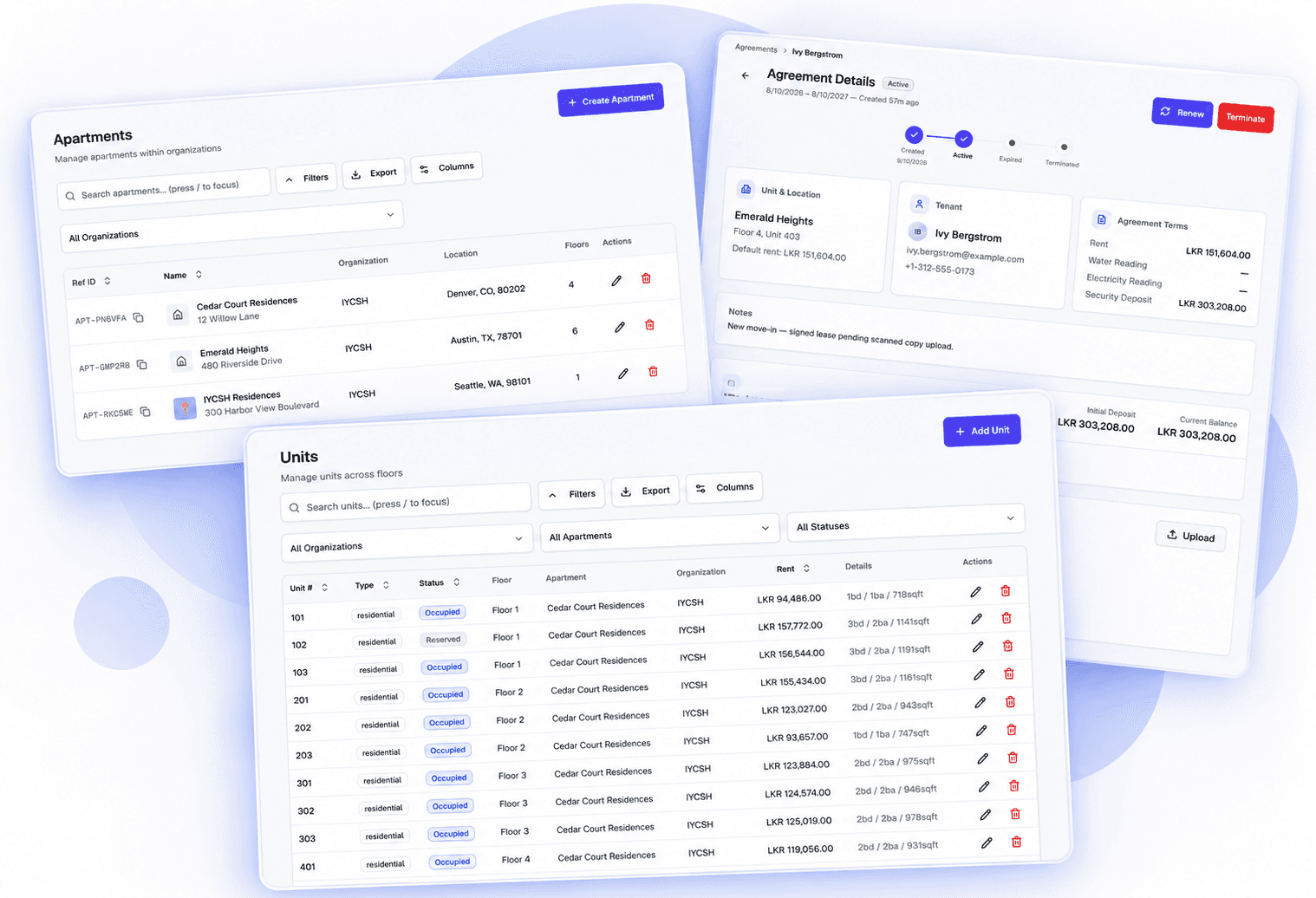
Set up organizations, apartments, floors and units once, then attach tenants and agreements exactly where they belong. Occupancy and unit status stay current as people move in and out.
Model each building the way it is laid out, with unit type, size and status on every record.
Contact details, documents and history sit with the unit a resident actually occupies.
Track start and end dates, rent, and security deposits, and see which leases are ending soon.
Billing & payments
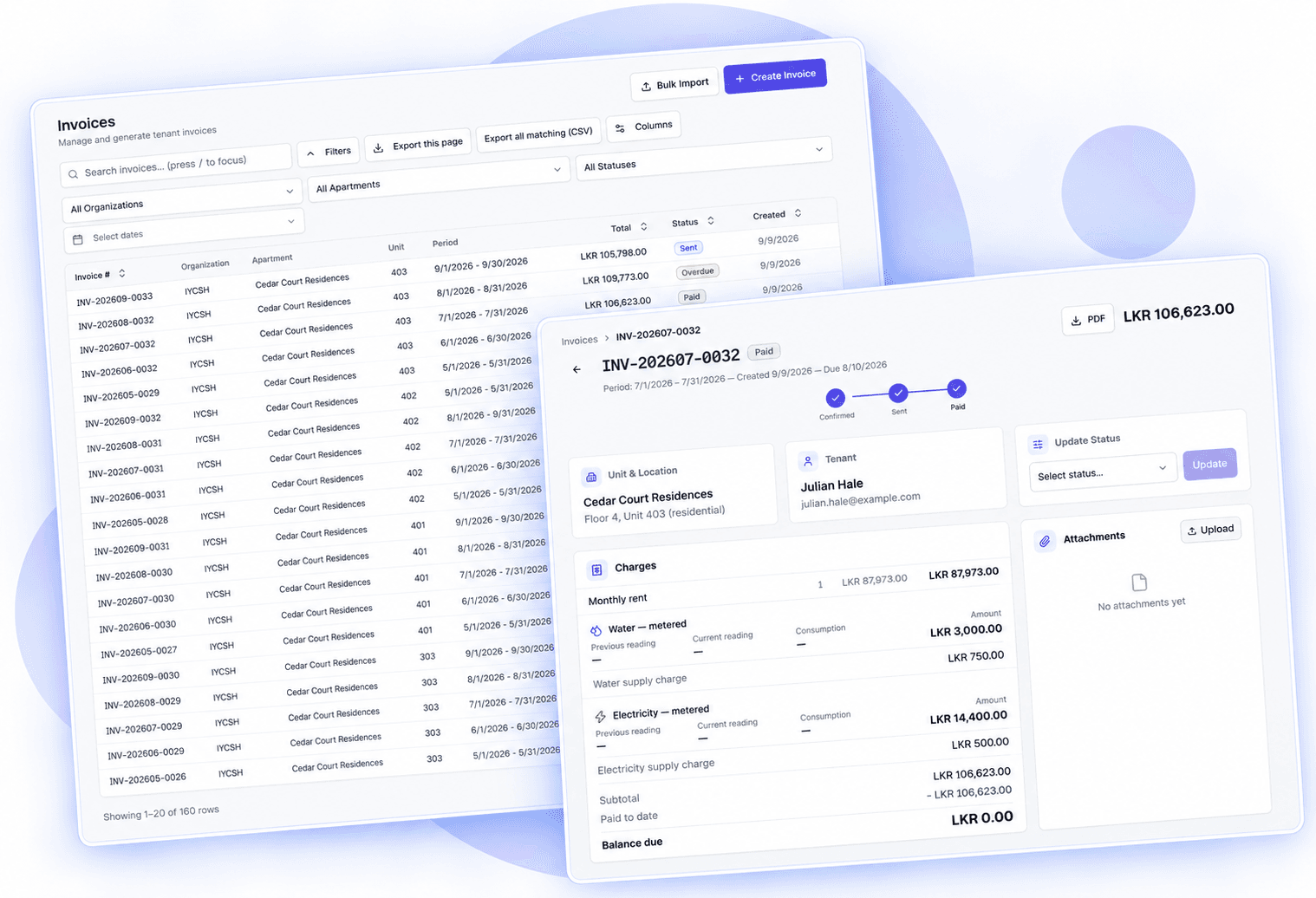
Raise invoices per unit for rent, service charges and utilities. Enter water and electricity readings and let consumption be worked out for you, then follow every invoice through to payment.
Previous and current readings become consumption and an amount on the invoice, with the workings visible.
See what is draft, sent, paid or overdue, record payments, and keep proof of transfer on file.
Generate documents residents can keep, and import invoices in bulk when a billing cycle is busy.
Resident experience
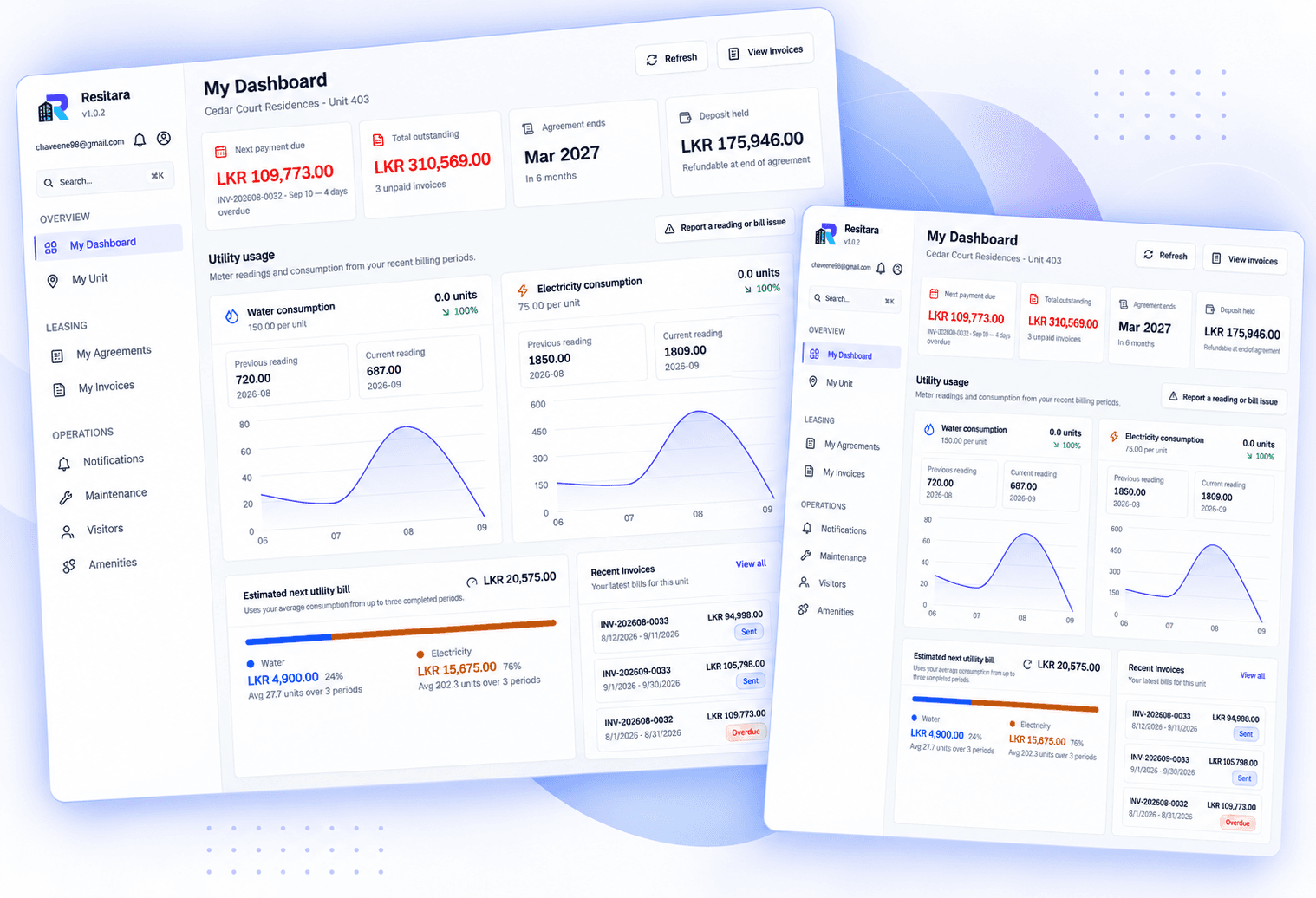
Residents sign in to see their unit, what they owe and what is happening in the building — and raise a maintenance request without phoning anyone.
Every invoice and receipt for their unit, in one place, available whenever they need it.
Target a whole property, a block or a single unit, and see what has been read.
Residents report an issue with photos and follow its status from submitted to resolved.
Maintenance & announcements
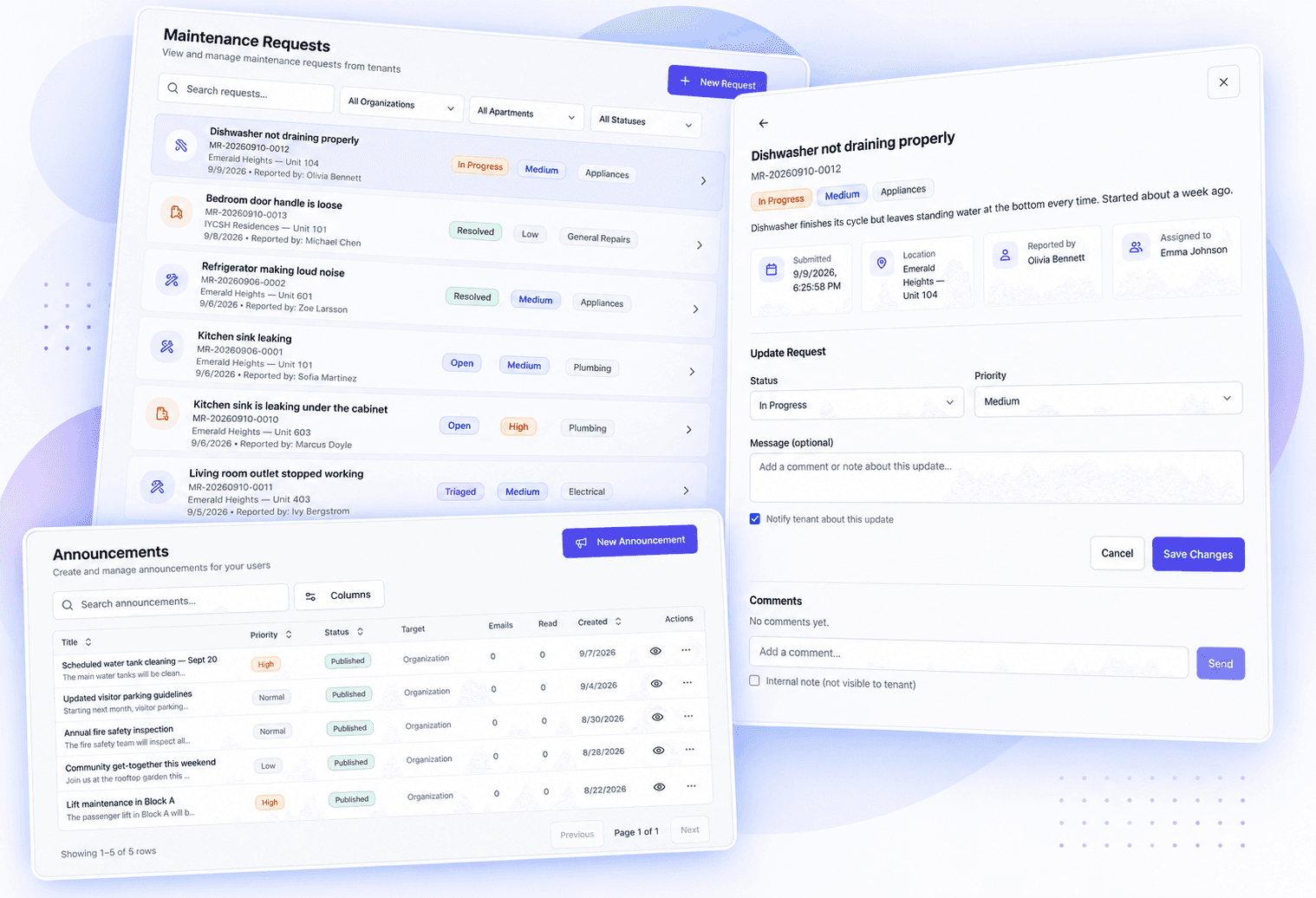
Maintenance requests move from submitted to resolved with an owner and a status at every step, while announcements reach exactly the residents they are meant for.
Every request carries a status, a priority and an owner, with comments kept on the record from report to resolution.
Publish to a whole organization, a block or a single unit, and see who has read it.
Staff update status and leave notes; residents watch the same request move toward resolved.
Insights & reporting
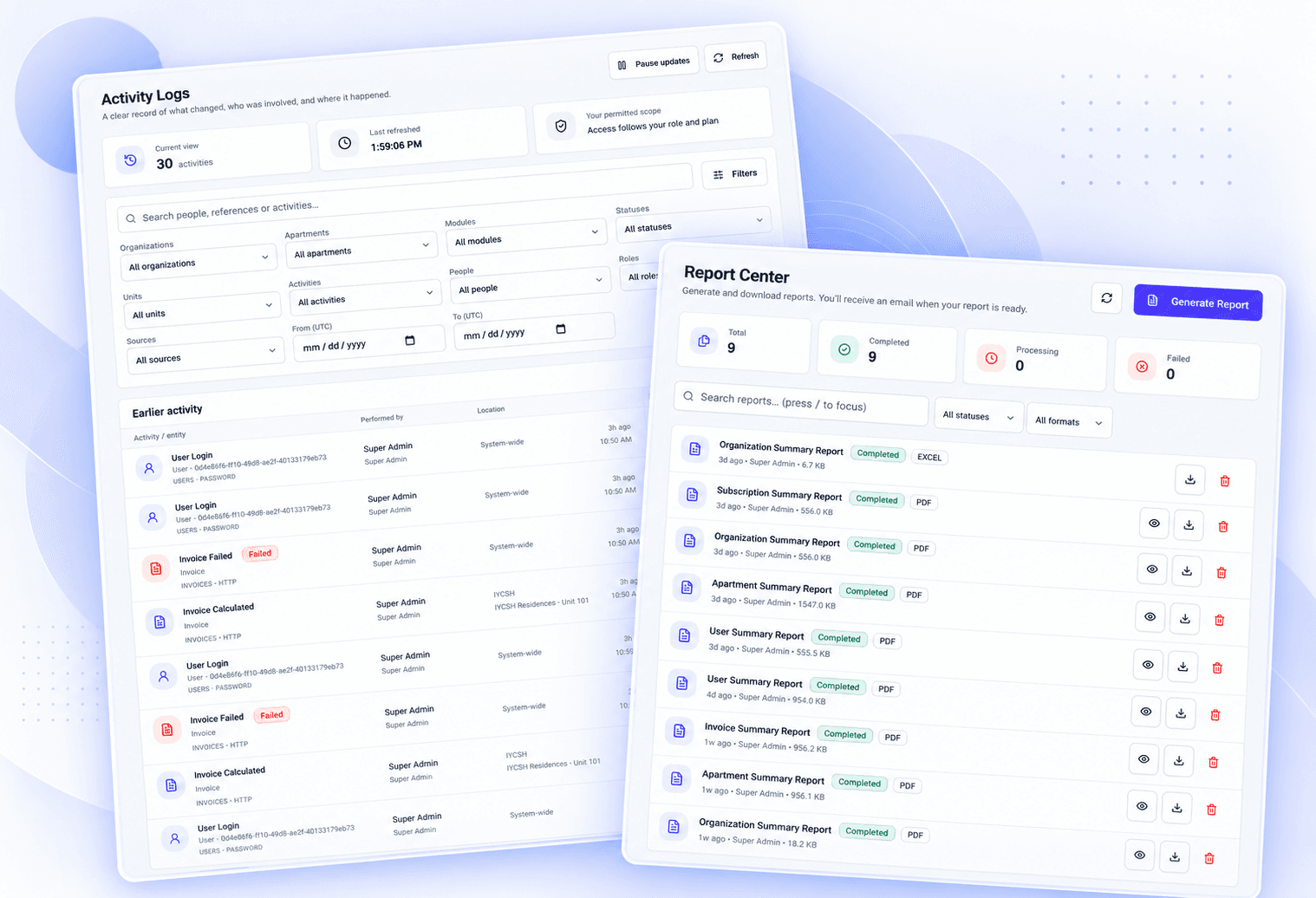
Dashboard statistics summarize occupancy, billing and outstanding amounts across your properties. Filter to the slice you care about, then export it when someone asks for the numbers.
See units let, revenue invoiced and amounts still outstanding without running a manual tally.
Narrow reports to one building or one billing cycle, and save the filters you use often.
Hand accountants, owners or auditors the same figures in the format they expect.
Security & access
Property data is sensitive. IYCSH Properties gives every person only the access their role needs, and keeps a record of what changed.
Owners, managers, staff and residents each see the records their role allows — nothing more.
Add MFA with recovery codes to accounts that manage money and resident data.
Run more than one property company from a single login, with data kept separate per organization.
Agreements, receipts and photos are stored privately and served only to people entitled to see them.
Key changes are logged, so you can answer who changed what, and when.
Sessions can be reviewed and ended, and password resets are token-based and time-limited.
Also included
Smaller capabilities that quietly remove friction from the working day.
See which residents have opened an announcement.
Record deposits, deductions and refunds against each agreement.
Keep agreements, slips and photos on the record they belong to.
Bring a whole billing cycle in from a spreadsheet.
Jump to a unit, tenant or invoice, and keep the views you use.
Built to be used from a phone on site, not only at a desk.
Route requests by type and follow them with comments.
Warn residents about planned work before it starts.
Assign and track parking slots per unit, with availability visible across the property.
Residents pre-register visitors; front desk opens a public kiosk URL to see who's expected and check them in.
A delivery person logs a package at the door kiosk, and residents are notified the moment it arrives.
Residents book gyms, pools, and shared spaces from real-time slot availability, with admin calendars and one-off closures for maintenance.
Getting started
Most portfolios are set up in an afternoon. We can help with the first import.
Create your organization, then its buildings, floors and units — or import what you already have.
Add managers with the right permissions and onboard tenants to their own portal.
Enter readings, generate invoices, and track payments and maintenance from one place.
Why us
We own and manage residential property ourselves, and IYCSH Properties grew out of that day-to-day work.
It reflects the operational problems we needed to solve ourselves — for property owners, managers, staff and residents — rather than a feature list drawn up in a boardroom.
Talk to us
Tell us a little about your portfolio and what you are trying to fix. We will arrange a walkthrough and answer your questions.
Already have an account? Sign in.